Where do I find my latest statement?

This guide provides you with a step by step instructions on how to find , download or print your veloment group account statements. 

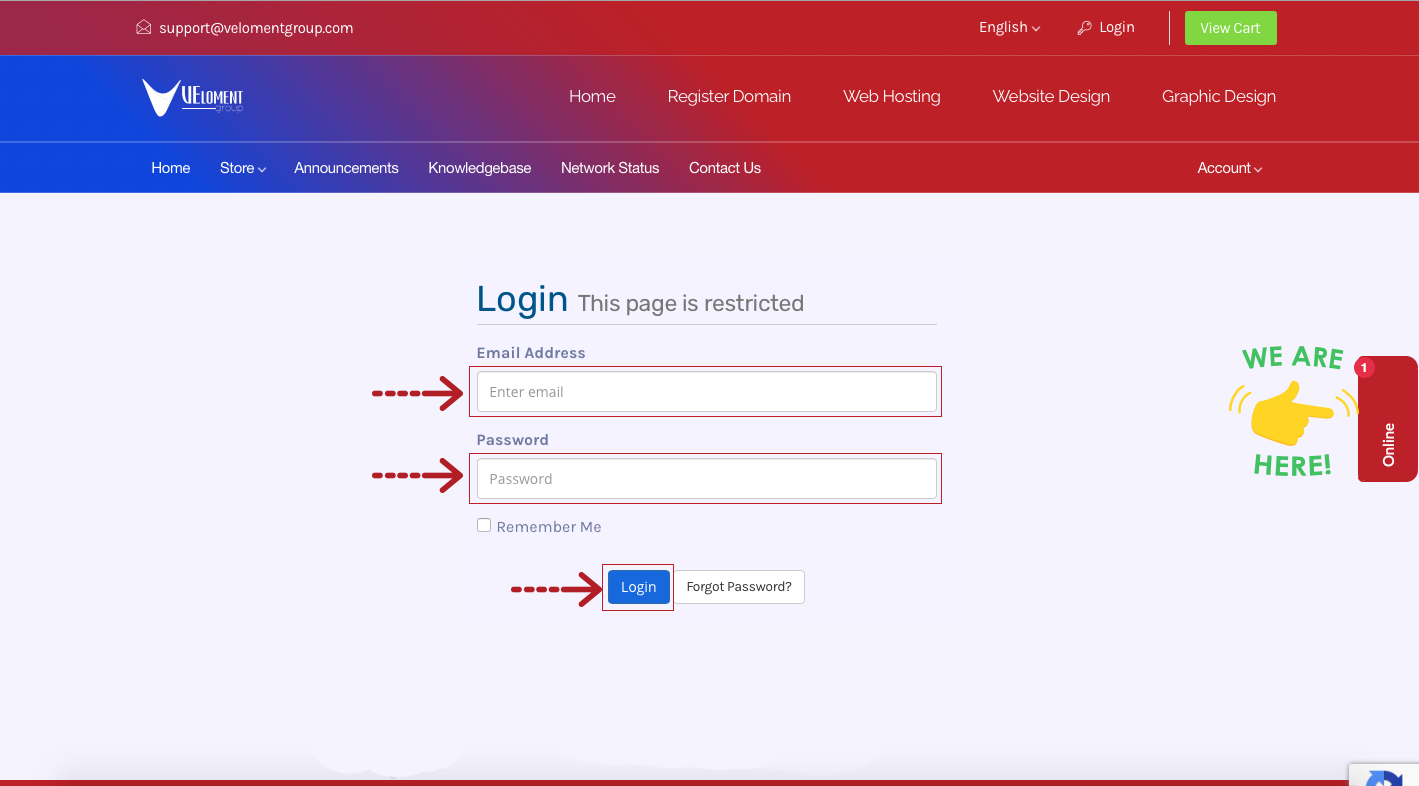
Step 1- Login to your Veloment Group Customer Zone


Step 2- Click on Billing then Statements


Step 3- View or Download Statements

  • Clicking this option will take you to the section below your invoices “Pro-Forma Statements/Billing”.


  • 0 A felhasználók hasznosnak találták ezt
Hasznosnak találta ezt a választ?

Kapcsolódó cikkek

Email: What are my email server settings?

This guide provides you with your email server settings as well as a generator for your unique...

How to log in to cPanel?

This quick guide will take you through the steps of logging in to your cPanel. Step 1- Login to...

How to update nameservers?

This guide will take you through the steps of updating your domain nameservers via the veloment...

How to set up Outlook on Mac?

1. While Outlook is open, click the “Tools” tab and then “Accounts”. A new window will open which...

How to set up email in Outlook 2016 ?

The following guide provides step by step instructions on how to set up email account on your...

Powered by WHMCompleteSolution