How to update nameservers?

This guide will take you through the steps of updating your domain nameservers via the veloment group customer zone.


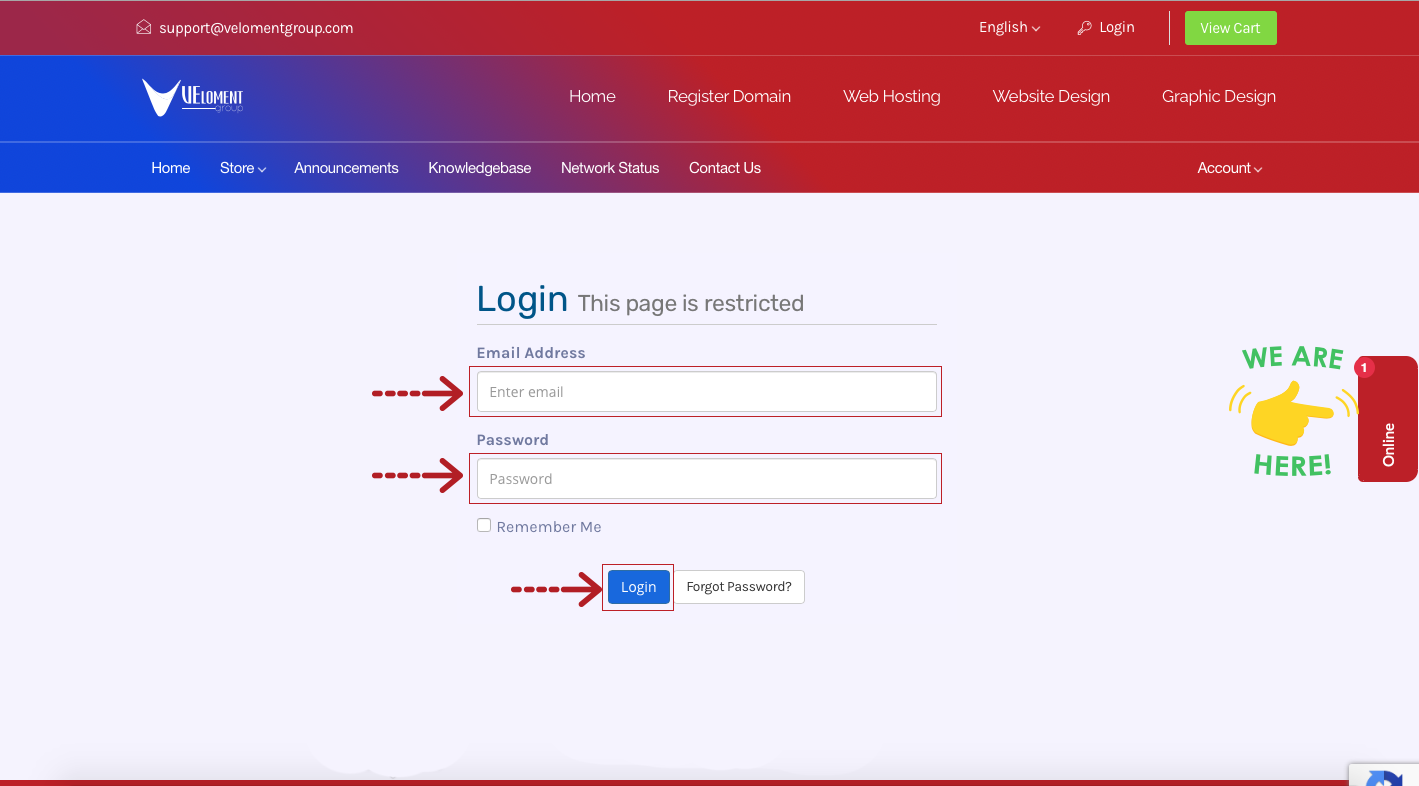
Step 1- Login to your Veloment Group Customer Zone.


Step 2 – Click on Domains.


Step 3 – Click the drop down arrow and select Manage Nameservers.


Step 4 – Update your domain nameservers and click Change Nameservers.


  • 0 brukere syntes dette svaret var til hjelp
Var dette svaret til hjelp?

Relaterte artikler

Email: What are my email server settings?

This guide provides you with your email server settings as well as a generator for your unique...

How to log in to cPanel?

This quick guide will take you through the steps of logging in to your cPanel. Step 1- Login to...

Where do I find my latest statement?

This guide provides you with a step by step instructions on how to find , download or print your...

How to set up Outlook on Mac?

1. While Outlook is open, click the “Tools” tab and then “Accounts”. A new window will open which...

How to set up email in Outlook 2016 ?

The following guide provides step by step instructions on how to set up email account on your...

Powered by WHMCompleteSolution